
- Justin Casino App for UK Players
- Choose Between the Justin Casino App and Mobile Website
- Download the Justin Casino App on iPhone
- Prepare Your Phone Before Installation
- Justin Casino on Android and APK Downloads
- Register and Log In from Your Phone
- Recover a Forgotten Password
- Use Casino Games on a Smaller Screen
- Slots and Table Games
- Live Dealer Games
- Manage Payments and Verification on Mobile
- Complete Account Verification
- Request a Withdrawal
- Understand Privacy and Phone Permissions
- Update the App and Resolve Mobile Access Problems
Justin Casino App for UK Players
The Justin Casino app is available for iPhone through the UK App Store. It offers mobile access to casino games, including slots, blackjack, roulette, bingo and live dealer tables. Android users can access Justin Casino through its mobile website without installing a separate application.
For an iPhone download, use the Justin Casino App Store listing. For browser access, use https://justin-casino-uk.com/, the casino website linked from that listing. Choose the route that suits your device before entering account details or downloading software.
Choose Between the Justin Casino App and Mobile Website
An installed app and a mobile website provide different ways to reach an online service. The app gives you an application icon on your phone, while browser access opens the website through software such as Safari or Chrome.
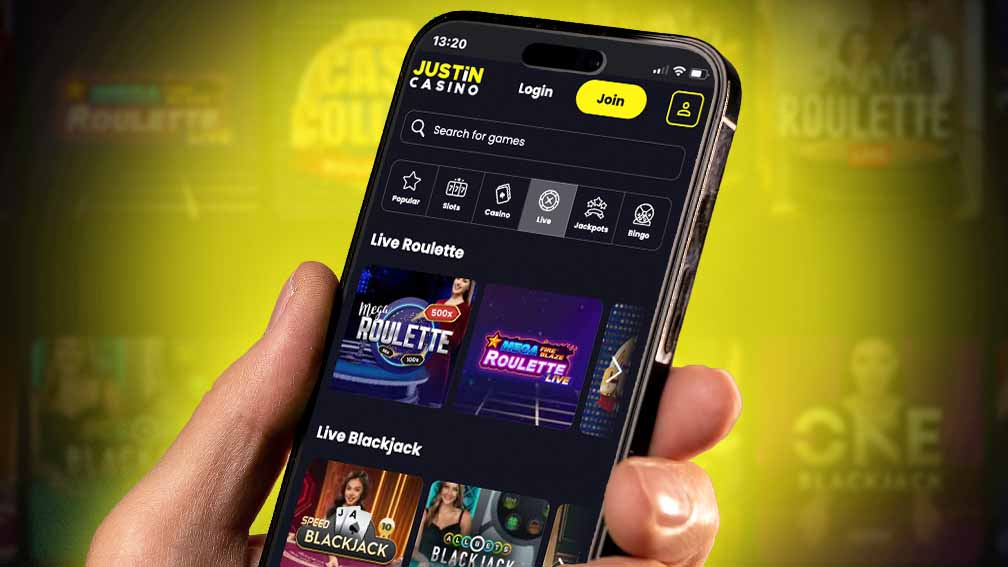
Neither route removes the need for an internet connection, account checks or applicable payment conditions.
| Access option | How you open it | Installation involved | Practical consideration |
|---|---|---|---|
| Justin Casino iPhone app | Open the installed application | Download through the App Store | Check iPhone compatibility before installing |
| iPhone browser access | Open the casino website in Safari or another browser | No casino application download | Useful when you prefer to keep access in your browser |
| Android browser access | Open the casino website in your mobile browser | No APK required | Provides a route to mobile access without sideloading software |
| Website shortcut | Open a saved bookmark or home-screen shortcut | Depends on your browser’s options | A shortcut does not establish that a separate app has been installed |
A browser shortcut can look similar to an app icon. The distinction matters when updating software: an installed application receives app updates, while a bookmark simply opens a web address.
Download the Justin Casino App on iPhone
The UK App Store identifies the application as Justin Casino and lists Mediacle Group AB (publ) as its developer. The listing describes it as designed for iPhone, in English, with an 18+ age rating and a requirement for iOS 15.1 or later.
Follow these steps to install it:
- Open the Justin Casino listing in the UK App Store.
- Confirm the application name and developer.
- Read the compatibility information shown for your device.
- Start the download and complete any Apple account authentication requested.
- Open the installed application.
- Use the account access option appropriate to you, or follow registration if you are a new customer.
The application is listed as free to download. This refers to installation, rather than free real-money gambling or an automatic promotional reward.
Prepare Your Phone Before Installation
Check your iOS version in the phone’s settings and leave enough storage for installation and subsequent updates. The size displayed in a store listing can change as new releases become available.
If installation is blocked, read the message shown by Apple. Device compatibility, account restrictions and available storage require different solutions. Downloading a file from another website will not resolve an App Store compatibility restriction.
Justin Casino on Android and APK Downloads
For Justin Casino mobile access on Android, open the casino website in your browser. This route does not require an APK file or permission to install applications from unknown sources.
An APK is an Android installation package. Its filename, logo or description does not establish who published it. A file advertised as a Justin Casino APK should not be treated as an authorised download merely because it uses the brand name.
Before following any download link:
- Confirm its destination before entering credentials.
- Use a store listing linked by the casino rather than an unrelated download directory.
- Avoid files promoted through unsolicited messages.
- Do not disable device protections to make a casino download work.
- Keep your browser and operating system updated.
If you want quicker browser access, save a bookmark after confirming the address. Where your browser offers a home-screen shortcut, it can reduce the steps needed to reopen the website without installing an APK.
Register and Log In from Your Phone
Use your existing Justin Casino account when returning to the service. Installing software or changing devices is not a reason to create another registration.
For a new account, enter your own accurate details and review the registration conditions before submitting the form. Take particular care with your email address: an error can make account recovery more difficult later.
Recover a Forgotten Password
Justin Casino’s website provides a Forgotten Password option beneath the login box. Enter your username or registered email address, then follow the recovery link sent to your email.
If access fails after a password change, check whether your phone is filling in an older saved password. Update the stored entry once you have confirmed the new credentials work.
Repeated login attempts are less useful than identifying the problem. A forgotten password, an incorrect username and an account restriction each need a different response. Where a restriction is displayed, use the casino’s help route rather than registering again.
Use Casino Games on a Smaller Screen
Once you have access, choose games from the available lobby and read their rules before placing a wager. On a phone, it is particularly useful to locate the stake control, balance display and game information before starting.
Slots and Table Games
Check the total stake rather than assuming a value shown beside an individual control represents the full cost of a round. Different games display bets differently.
For blackjack and roulette, read the applicable rules and payout information. A familiar game name does not mean every version uses identical rules.
Live Dealer Games
Live games use streamed video, making connection stability particularly relevant. If the picture freezes, do not assume a submitted bet has been cancelled.
Restore the connection and inspect the round result or available account history before taking another action. If the outcome remains unclear, record the game name and approximate time for support. Avoid submitting another wager simply to test whether the connection has returned.
Manage Payments and Verification on Mobile
Justin Casino’s help documentation states that deposits and withdrawals use GBP and that payment methods must belong to the registered account holder. Using a phone does not change payment ownership requirements.
Before confirming a deposit, review the amount, selected method and any conditions attached to an offer you intend to use. After an interruption, inspect the transaction status before submitting the payment again.
Complete Account Verification
The website places verification information under My Account and Account Details. Its instructions include photo ID, address evidence and payment ownership evidence where requested, with uploads accepted as JPG, PNG or PDF.
When photographing a document, keep the relevant details readable and the document edges visible. Use the account’s designated upload route and follow the instructions for covering sensitive card information.
Successful login and completed verification are separate matters. Being able to enter an account does not mean every check required for a payment has been completed.
Request a Withdrawal
For mobile website withdrawals, Justin Casino documents a route through My Account, Cashier and Make a Withdrawal.
Review the available balance and any active bonus before submitting the request. Bonus credit should not be treated as withdrawable cash, and a payout request may affect an unfinished promotion. Read the conditions attached to that promotion to understand what would be removed or forfeited.
Changing from the browser to an app does not resolve missing documents or alter payment processing conditions.
Understand Privacy and Phone Permissions
The App Store privacy declaration includes identifiers and precise location among the data categories that may be handled. Read the privacy information before installation and consider permission requests individually.
A store privacy label describes declared data practices. It does not mean every listed category will produce a permission prompt on your phone.
For practical account protection, use a device passcode, keep your registered email account protected and avoid saving credentials on shared devices. If a message asks for a password, payment authentication code or identity document, return to the casino through your established access route before acting.
Update the App and Resolve Mobile Access Problems
Use the App Store to obtain iPhone app updates. For browser access, maintain your browser and operating system through their normal update routes.
Before clearing website data or reinstalling software, make sure you can recover your account credentials. Those actions may remove a saved session, but they do not close the casino account or settle a pending transaction.
| Problem | First check | Next useful action |
|---|---|---|
| App will not install | Compatibility, storage and Apple account restrictions | Follow the specific App Store error message |
| App opens but content does not load | Internet connection and available updates | Close and reopen the app, then try browser access |
| Login details are rejected | Saved credentials and typing errors | Use password recovery if necessary |
| Browser repeatedly returns to login | Cookies, private browsing or session expiry | Try a normal browser session before clearing site data |
| A game freezes | Whether the connection dropped | Reconnect and inspect the round outcome |
| Payment confirmation is unclear | Casino transaction status and payment provider records | Establish the status before making another attempt |
| Document upload fails | File format, readability and connection | Correct the file and retry through the designated upload route |
When contacting support about a technical issue, include your phone model, operating system, access route, approximate time and the exact error message. Screenshots can help, provided they do not expose passwords, full card numbers or other sensitive information.
Start with the App Store route for iPhone installation or the casino website for browser access. Once connected, confirm your account status before moving on to games or payments.
Download the Justin Casino App Now
Android APK + iOS PWA - instant setup for UK players. Claim your mobile bonus on first login.
18+. T&Cs apply. UK players only. Please gamble responsibly.

Bonus Choices October 2026